File verificationSignature matches the developer’s certificate
Unmodified file: same certificate as this app’s versions from the official app store, signed by 3DLauncherVs. A signature shows who signed the file, not how the app behaves.
Hi, There you can download APK file "3D LAUNCHER VS" for Android free, apk file version is 3.9 to download to your android device just click this button. It's easy and warranty. We provide only original apk files. If any of materials on this site violates your rights, report us
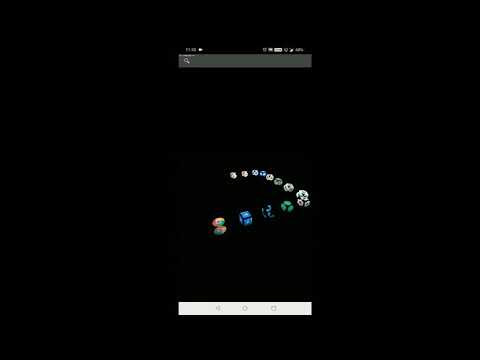
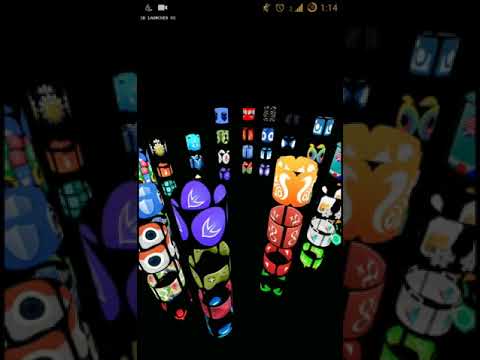
Screenshots of 3D LAUNCHER VS
Description of 3D LAUNCHER VS (from google play)
3D LAUNCHER VS is developed to extend your imagination to real 3D world. Experiment with different 3D Shapes and set your launcher with best 3D shapes you like for application icons. This Launcher is so simple to use, Press Launcher button on home screen to launch 3D Launcher. When a 3D app icon appears, swipe left, right, up or down to rotate Apps in 3D View. Pinch Zoom to ZOOM-IN or ZOOM-OUT in 3D View. Click on 3D app icon to launch app. User can Long press on Home screen to access features like Widgets, Wallpapers and App Settings. Click anytime on HELP button for Help.
To customize App, Long press on Home screen then, select gear icon with title settings. In settings, User can switch between normal and 3D Mode, customize look and feel of app and can even change Animations.
You can Hide your apps which is displayed in 3D view. To hide apps, tap on settings icon from bottom, then click on settings button, then tick the check box of apps that you wish to add and finally click on SAVE button to save it. That's it..
Features: - Customizable 3D SHAPES to choose: Slide shapes and click on shape to select it. Click on PREVIEW button to test it. Click on SAVE button to save your choice. Click on HELP for help. - Excellent 3D TRANSITION EFFECTS to choose. - Hide option to hide unwanted apps. - pinch Zoom in or zoom out to see 3D app icons more clearly and closely. - Rotation in all three dimensions by swiping finger on screen for better view. - Short cuts can be placed anywhere on workspace and you can also create folder of short cuts. - Widgets are provided - Customization available for icons, title, transition effects etc.
• Fully 3-Dimensional Launcher. • Various 3D transition effects to choose. • Shortcuts and Widgets • 3D shapes to choose for app icons. • 3D-rotation, pinch zoom facility available for better 3D view.
Developed by: Srinivas Bekkam and Veenarani Gourisetty
What's new in 3D LAUNCHER VS
New in 3D LAUNCHER VS 3.8
- Performance Improvements - Bug Fixes
Please rate this app
3D LAUNCHER VS Version History: APK Size & Android Support
Explore the version history of 3D LAUNCHER VS for Android and see how the app has evolved over time. This section tracks versions added to the apkcafe.in catalog, including download size, declared permissions, and Android compatibility. Select a point on a chart to explore historical version data.
3D LAUNCHER VS Catalog Statistics
Versions added in the last 12 months0
Last version added
Catalog update frequencyNo versions added for over a year
3D LAUNCHER VS Versions Added by Quarter
Q3 20241 version added
New versions in the catalogNo updates since Aug 2024
1 new 3D LAUNCHER VS version was added to the apkcafe.in catalog in 2024. The catalog contains 10 versions dating back to July 2017.
3D LAUNCHER VS Download Size History
3.9Aug 31, 20244.31 MB APK
Download size for most phonesNo updates since Aug 2024
The 3D LAUNCHER VS download size for most phones decreased from 5.74 MB in version 2.7 (2017) to 4.31 MB in version 3.9, a 25% decrease.
3D LAUNCHER VS Permissions History
3.9Aug 31, 20247 permissions
Permissions declared by the versionNo updates since Aug 2024
3D LAUNCHER VS 3.9 declares 7 permissions, 3 fewer than version 2.7 from 2017 (10).
3D LAUNCHER VS Android Compatibility History
3.9Aug 31, 2024Android 5.0+, built for 14
Requires (minimum Android)Built for (target Android)No updates since Aug 2024
3D LAUNCHER VS 3.9 requires Android 5.0 or newer and is built for Android 14; version 2.7 from 2017 ran on Android 4.1 or newer.
Older versions of 3D LAUNCHER VS. The apkcafe.in catalog has 10 versions of 3D LAUNCHER VS, from 2.7 (Jul 2017) to 3D LAUNCHER VS 3.9 (Aug 31, 2024). If the latest version has a bug, changed something you rely on or does not work on your phone, you can install an earlier one from the list of older 3D LAUNCHER VS APK versions below.
Version 3.9 needs Android 5.0 or newer. On older phones: Android 4.1 runs up to version 3.1 (Oct 2018).
Android does not install an older version over a newer one, so uninstall 3D LAUNCHER VS first. This usually deletes the app's data on the phone, so back up anything you need.
Dates show when each version was added to the apkcafe.in catalog. Size is the full download for most phones; permissions are for the same build.